What your staff will see
A one-page explainer for the people receiving Pardon messages. Copy it into an email or your intranet and swap in your own name and examples before your first campaign.
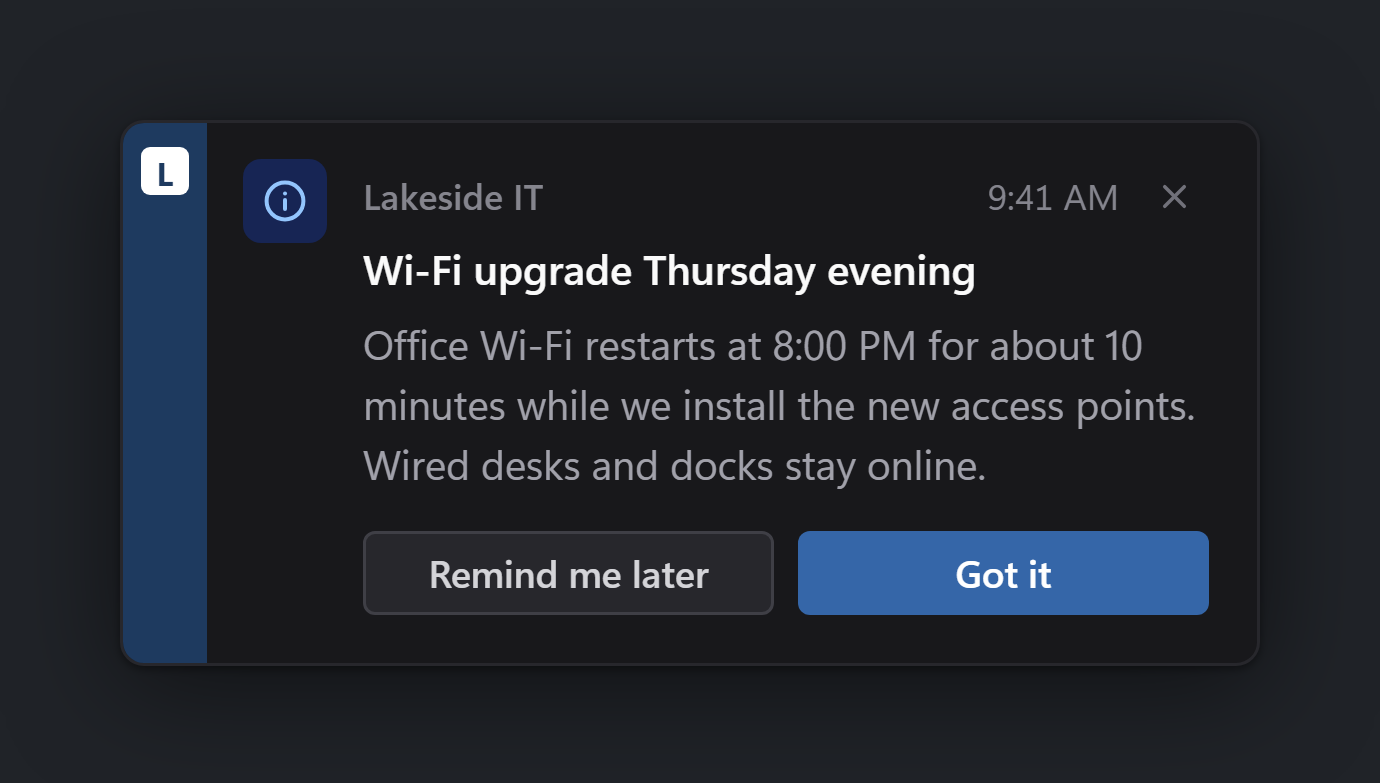
From time to time, IT will put a short message on your screen. It always shows our name and colour down the left edge, so you know it is really from us. It never asks for your password.
Heads-up messages
A small card appears in the bottom-right corner. Read it, then click a button. If one of the buttons says something like "Show me how", it opens a help page in your browser.
A red icon and ACTION REQUIRED mean it needs doing today.

Longer announcements appear in the middle of the screen instead. Same idea: read it, click a button.
Quick questions
Now and then we'll ask how things are going: a one-tap question in the corner, or a short survey of a few questions. Tap the answer that fits; you can undo a tap for a few seconds afterwards. Surveys show how many questions there are, and you can skip the whole thing with the ✕. When a question says it is anonymous, your name isn't sent with the answer.

When your computer needs a restart
Some updates only finish when the computer restarts. Instead of restarting without warning, we'll ask you first and give you a deadline.

- Not a good time? Pick how long you need (15 minutes, an hour, tonight...) and click Defer. We'll ask again after that. You can put it off a limited number of times; the card shows how many you have left.
- Good time? Click Restart now. Save your work first.
- Closing the card with the ✕ counts as putting it off.
When your deferrals run out or the deadline arrives, you'll get a countdown. It can't be closed or put off, so save your work and either let it run out or click Restart now.

Questions? Contact IT the usual way.